git ✨
*Lo que nunca te contaron y quizás sería por algo
Índice
- Introducción al control de versiones
- Preparación del entorno de desarrollo
- Flujo de trabajo
- Comandos en detalle
- Convenciones y buenas prácticas
¿Qué es el control de versiones?
                    ~/work$ ls -l
                    procesa_datos_00.R
                    procesa_datos_01.R
                    procesa_datos_02.R
                    procesa_datos_03.R
                    procesa_datos_04.R
                    procesa_datos_05.R
                    procesa_datos_06.R
                    procesa_datos_07.R
                    procesa_datos_08.R
                    procesa_datos_09.R
                    procesa_datos_10.R
                    procesa_datos_11.R
                    procesa_datos_12.R
                    procesa_datos_13.R
                    procesa_datos_14.R
                    procesa_datos_15.R
                    procesa_datos_16.R
                    procesa_datos_17.R
                    procesa_datos_18.R
                    procesa_datos_19.R
                    procesa_datos_20.R
                    ~/work$ tree
                    .
                    ├── cambios
                    │   ├── arregla_error1
                    │   ├── arreglando_procesa
                    │   ├── mejora_funcionalidad
                    │   ├── nuevo_problema
                    │   └── soluciona_bug
                    ├── definitivo
                    │   ├── lanzamiento
                    │   ├── version_final
                    │   └── version_mejorada
                    └── pruebas
                        ├── pruebas_antes
                        ├── pruebas_despues
                        └── pruebas_final

                    14 directories, 0 files

“Se llama control de versiones a la gestión de los diversos cambios que se realizan sobre los elementos de algún producto o una configuración del mismo. Una versión, revisión o edición de un producto, es el estado en el que se encuentra el mismo en un momento dado de su desarrollo o modificación.”
Aclarando conceptos 1️⃣
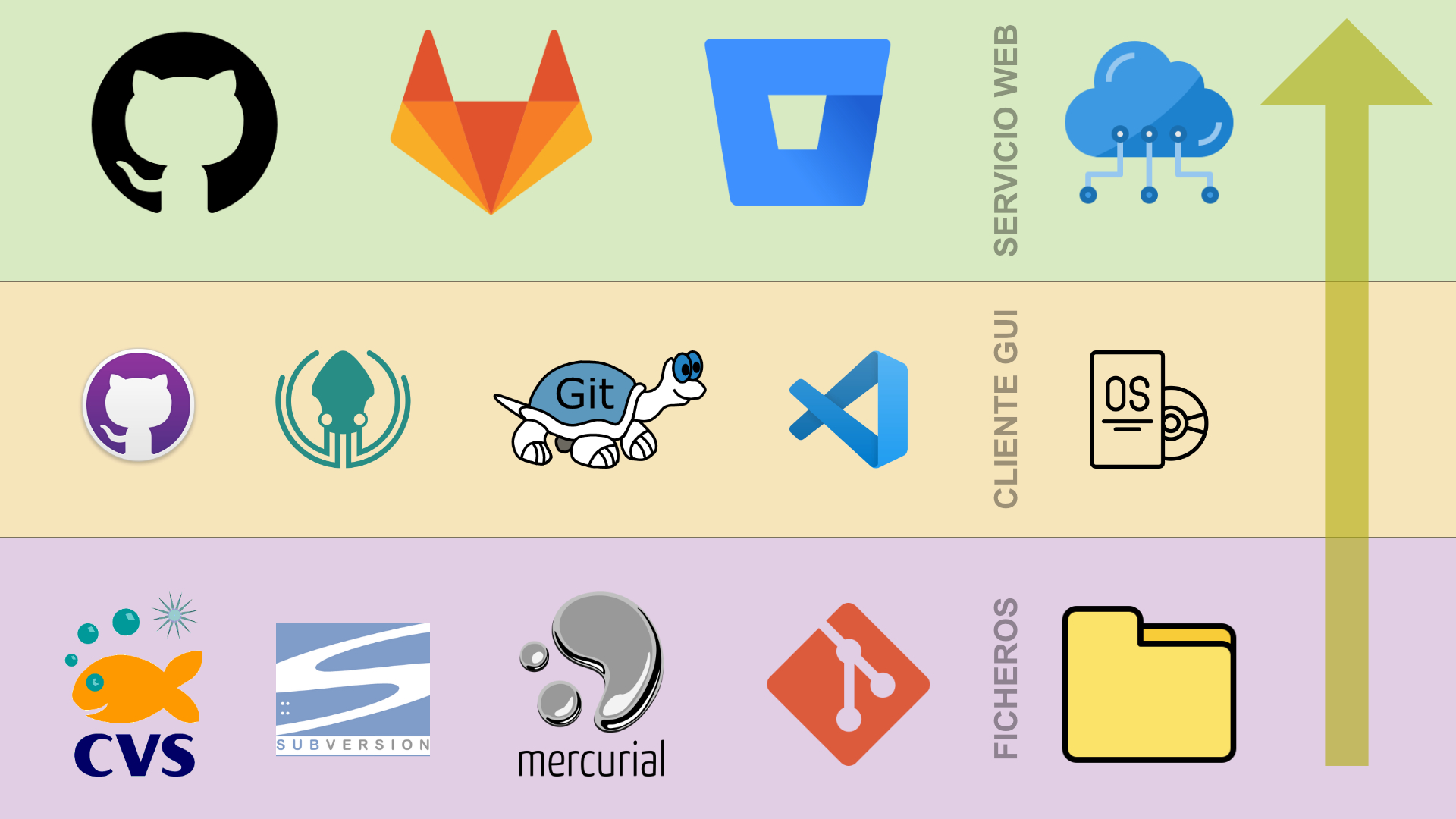
Aclarando conceptos 2️⃣
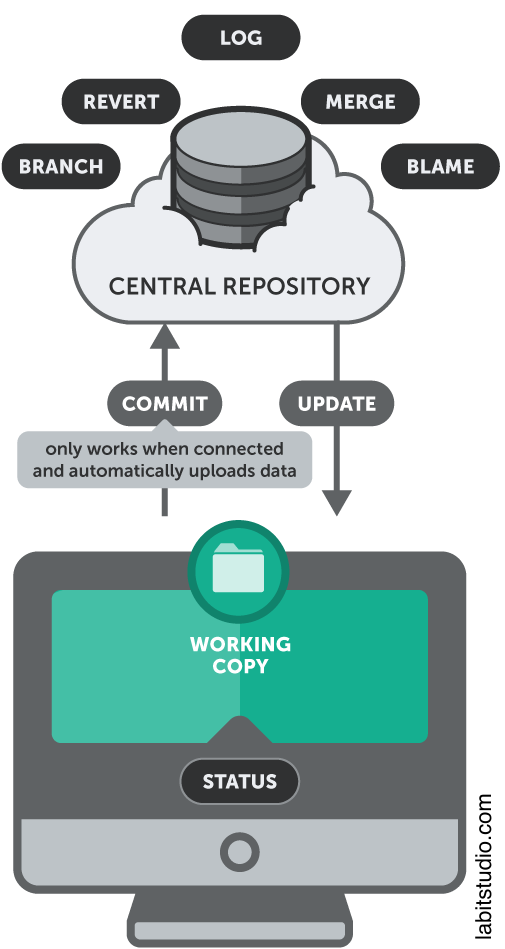
SVN
- Centralizado
- Cliente/Servidor
- Offline limitado
- Más sencillo
- $\approx 23\%$
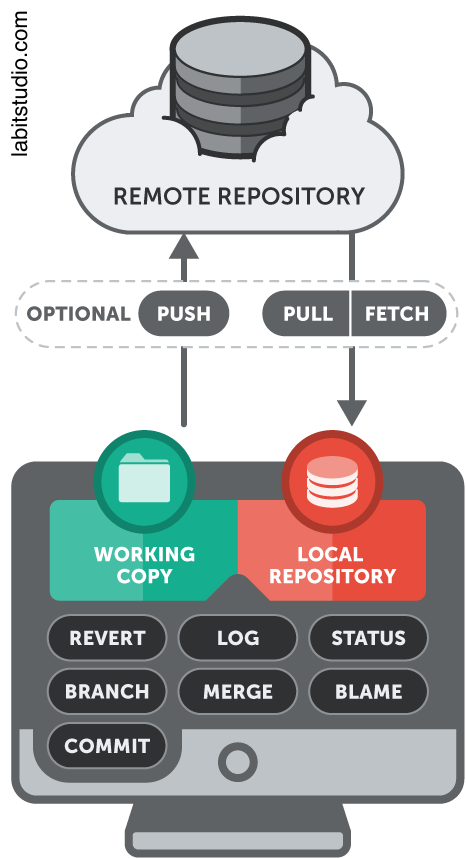
GIT
- Distribuido
- Cliente+Servidor
- Offline completo
- Más complejo
- $\approx 72\%$
Aclarando conceptos 2️⃣
SVN
GIT
Aclarando conceptos 3️⃣
repo = repositorio
¿Por qué Git?
- Histórico permanente de cambios.
- Copias de seguridad.
- Trabajo en equipo.
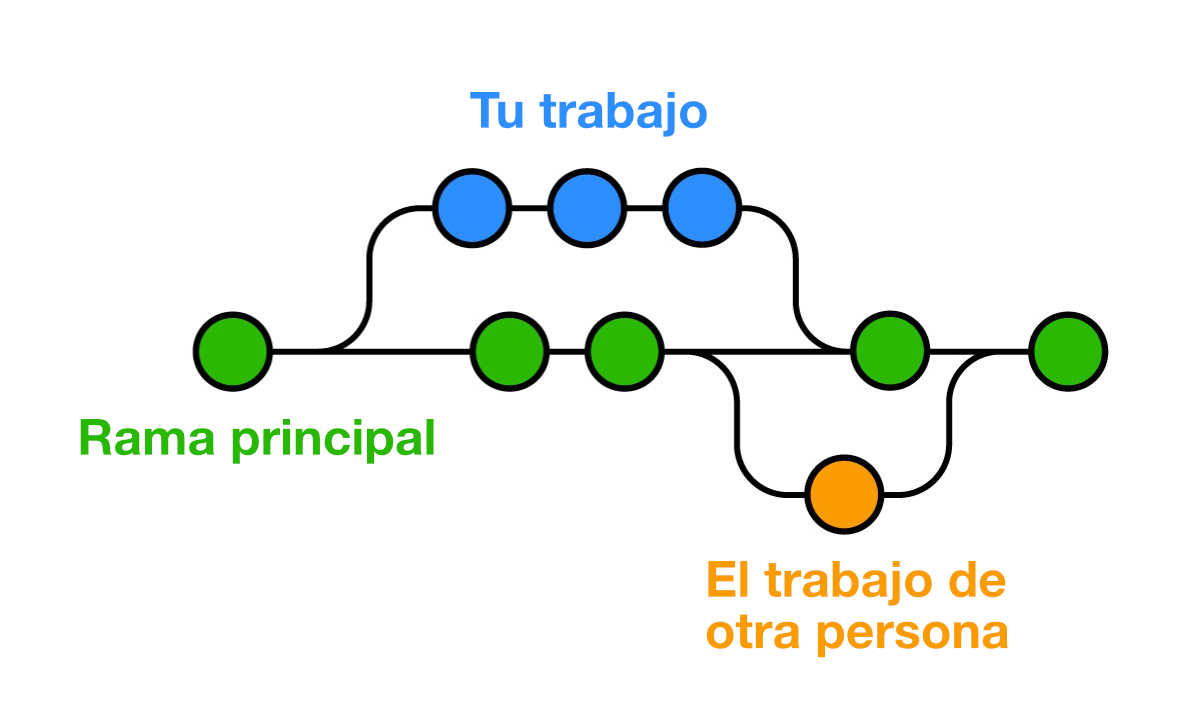
- Crear ramas y/o etiquetas.
- Enfoque social.
Índice
- Introducción al control de versiones
- Preparación del entorno de desarrollo
- Flujo de trabajo
- Comandos en detalle
- Convenciones y buenas prácticas
¿Tengo git instalado?
                $ git --version
                git version 2.32.0 (Apple Git-132)

Establecer credenciales
              $ git config --global user.name "Sergio Delgado Quintero"
              $ git config --global user.email "sdelquin@gmail.com"
👇🏻 Crea un archivo en $HOME/.gitconfig
                [user]
                  name = Sergio Delgado Quintero
                  email = sdelquin@gmail.com
git init
Inicializar un repositorio
                $ git init
                Initialized empty Git repository in /Users/sdelquin/work/.git/
¿ .git ?
                $ tree .git
                  .git
                  ├── HEAD
                  ├── config
                  ├── description
                  ├── hooks
                  │   ├── applypatch-msg.sample
                  │   ├── commit-msg.sample
                  │   ├── fsmonitor-watchman.sample
                  │   ├── post-update.sample
                  │   ├── pre-applypatch.sample
                  │   ├── pre-commit.sample
                  │   ├── pre-merge-commit.sample
                  │   ├── pre-push.sample
                  │   ├── pre-rebase.sample
                  │   ├── pre-receive.sample
                  │   ├── prepare-commit-msg.sample
                  │   ├── push-to-checkout.sample
                  │   └── update.sample
                  ├── info
                  │   └── exclude
                  ├── objects
                  │   ├── info
                  │   └── pack
                  └── refs
                      ├── heads
                      └── tags
git clone
Clonar un repositorio
Vía $ssh$
                $ git clone git@github.com:sdelquin/work.git
                Cloning into 'work'...
                remote: Enumerating objects: 4, done.
                remote: Counting objects: 100% (4/4), done.
                remote: Compressing objects: 100% (3/3), done.
                Receiving objects: 100% (4/4), done.
                remote: Total 4 (delta 0), reused 0 (delta 0), pack-reused 0
*Clave pública/privada
Vía $https$
                $ git clone https://github.com/sdelquin/work.git
                Cloning into 'work'...
                remote: Enumerating objects: 4, done.
                remote: Counting objects: 100% (4/4), done.
                remote: Compressing objects: 100% (3/3), done.
                Receiving objects: 100% (4/4), done.
                remote: Total 4 (delta 0), reused 0 (delta 0), pack-reused 0
*Usuario y password
Clientes gráficos /free/
| Software | OS | Price |
|---|---|---|
| GitHub Desktop | 🍎 🪟 🐧 | 0 |
| SourceTree | 🍎 🪟 | 0 |
| TortoiseGit | 🪟 | 0 |
| Git Extensions | 🍎 🪟 🐧 | 0 |
| GitKraken | 🍎 🪟 🐧 | 0* |
| Magit | 🍎 🪟 🐧 | 0 |
| MeGit | 🍎 🪟 🐧 | 0 |
| GitAhead | 🍎 🪟 🐧 | 0 |
| ungit | 🍎 🪟 🐧 | 0 |
Índice
- Introducción al control de versiones
- Preparación del entorno de desarrollo
- Flujo de trabajo
- Comandos en detalle
- Convenciones y buenas prácticas
Flujo de trabajo 1️⃣
Crear rama de desarrollo
$ git switch -c dev
✅
Flujo de trabajo 2️⃣
Hacer las modificaciones pertinentes
$ ...
✅
Flujo de trabajo 3️⃣
Ver el estado del repo
$ git status
✅
Flujo de trabajo 4️⃣
Preparar los cambios
$ git add .
✅
Flujo de trabajo 5️⃣
Confirmar los cambios
$ git commit -m "First commit"
✅
Flujo de trabajo 6️⃣
Subir cambios al servicio web
$ git push
✅
Índice
- Introducción al control de versiones
- Preparación del entorno de desarrollo
- Flujo de trabajo
- Comandos en detalle
- Convenciones y buenas prácticas
Punto de partida
☁️ https://github.com/sdelquin/work.git
              $ git clone https://github.com/sdelquin/work.git
              $ cd work
              $ ls
              LICENSE   README.md
git status
Comprobando el estado del repositorio
git status
                $ git status
                On branch main
                Your branch is up to date with 'origin/main'.

                nothing to commit, working tree clean
git status
Modificamos README.md 👷🏻♀️
              $ git status
              On branch main
              Your branch is up to date with 'origin/main'.

              Changes not staged for commit:
                (use "git add [file]..." to update what will be committed)
                (use "git restore [file]..." to discard changes in working directory)
                modified:   README.md

              no changes added to commit (use "git add" and/or "git commit -a")
Estados de un archivo en git
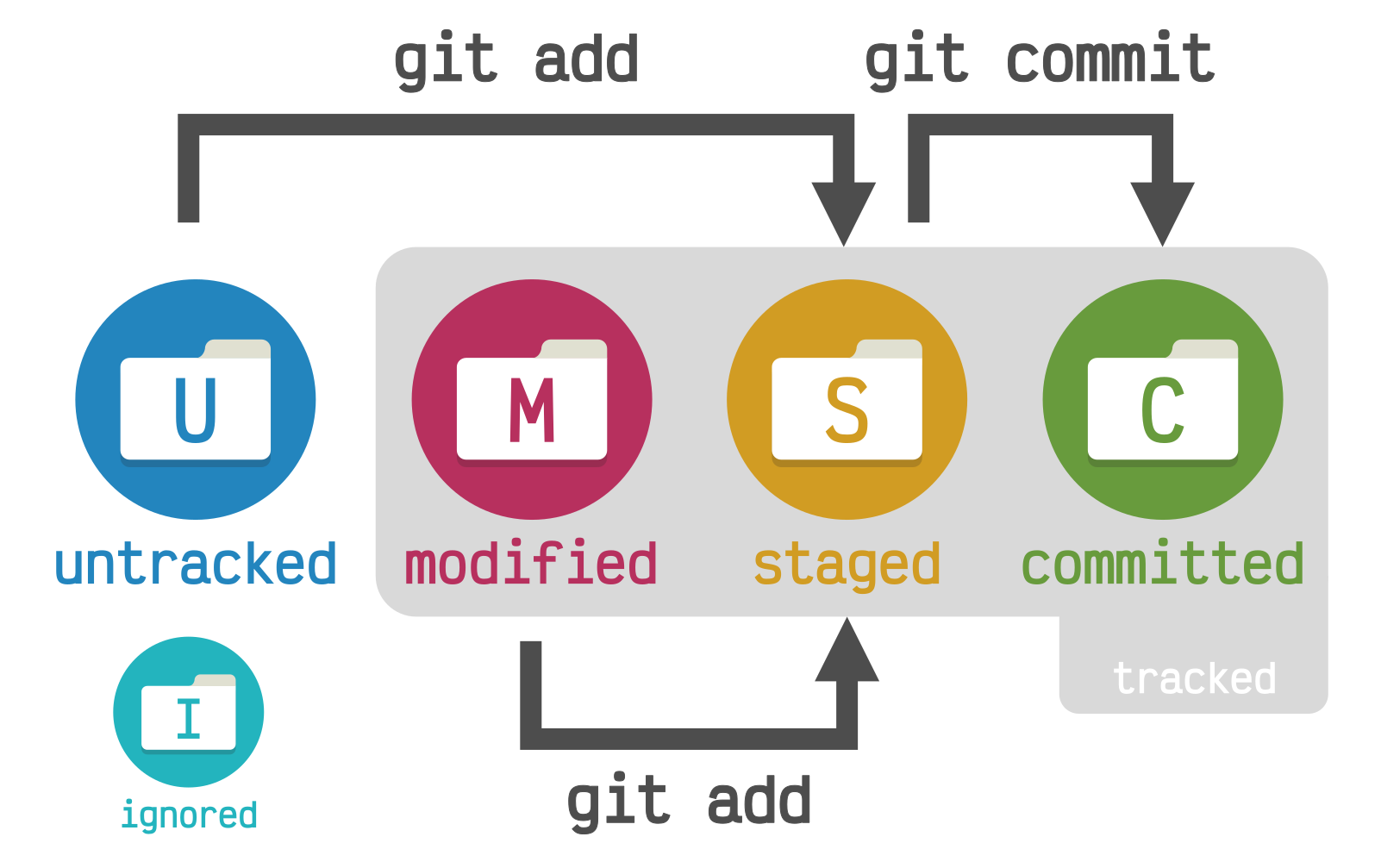
Estados de un archivo en git
-
ignored$\Rightarrow$ ignorado -
tracked$\Rightarrow$ con seguimiento -
untracked$\Rightarrow$ sin seguimiento -
modified$\Rightarrow$ modificado -
staged$\Rightarrow$ preparado-
git add$\rightarrow$ preparar
-
-
committed$\Rightarrow$ confirmado-
git commit$\rightarrow$ confirmar
-
git add
Preparando los cambios
git add
$ git add README.md
            $ git status
            On branch main
            Your branch is up to date with 'origin/main'.

            Changes to be committed:
              (use "git restore --staged [file]..." to unstage)
              modified:   README.md
⚡ git add .
git commit
Confirmando los cambios
git commit
              $ git commit -m "Add welcome message"
              [main ae0abb3] Add welcome message
              1 file changed, 1 insertion(+)
              $ git status
              On branch main
              Your branch is ahead of 'origin/main' by 1 commit.
                (use "git push" to publish your local commits)

              nothing to commit, working tree clean
Me olvidé de incluir un cambio en el último commit

💡 ¡Hay solución!
git commit --amend
- Haz los cambios que necesites 👷🏻♀️
-
Prepara y confirma los cambios
$ git add . $ git commit --amend (-m) -
Opción "desatentida"
                  $ git add .
                  $ git commit --amend --no-edit
git restore
El CTRL-Z de toda la vida
git restore
Escenario 1: Hemos modificado
README.md pero está aún sin preparar
                $ git status
                On branch main
                Your branch is up to date with 'origin/main'.

                Changes not staged for commit:
                  (use "git add [file]..." to update what will be committed)
                  (use "git restore [file]..." to discard changes in working directory)
                  modified:   README.md

                no changes added to commit (use "git add" and/or "git commit -a")
$ git restore README.md
                  $ git status
                  On branch main
                  Your branch is up to date with 'origin/main'.

                  nothing to commit, working tree clean
git restore
Escenario 2: Hemos modificado
README.md y lo hemos preparado
                $ git status
                On branch main
                Your branch is up to date with 'origin/main'.

                Changes to be committed:
                  (use "git restore --staged [file]..." to unstage)
                  modified:   README.md
                  $ git restore --staged README.md
                  $ git restore README.md
                  $ git status
                  On branch main
                  Your branch is up to date with 'origin/main'.

                  nothing to commit, working tree clean
⚡ git restore .
git clean
Borrando archivos sin seguimiento
git clean
                $ git status
                On branch main
                Your branch is up to date with 'origin/main'.

                Untracked files:
                  (use "git add [file]..." to include in what will be committed)
                  process.C
                  upload.C

                nothing added to commit but untracked files present (use "git add" to track)
                $ git clean -i
                Would remove the following items:
                  process.C  upload.C
                *** Commands ***
                  1: clean                2: filter by pattern
                  3: select by numbers    4: ask each
                  5: quit                 6: help
                What now> 4
                Remove process.C [y/N]? y
                Remove upload.C [y/N]? y
                Removing process.C
                Removing upload.C
⚡ git clean -f
Ramas
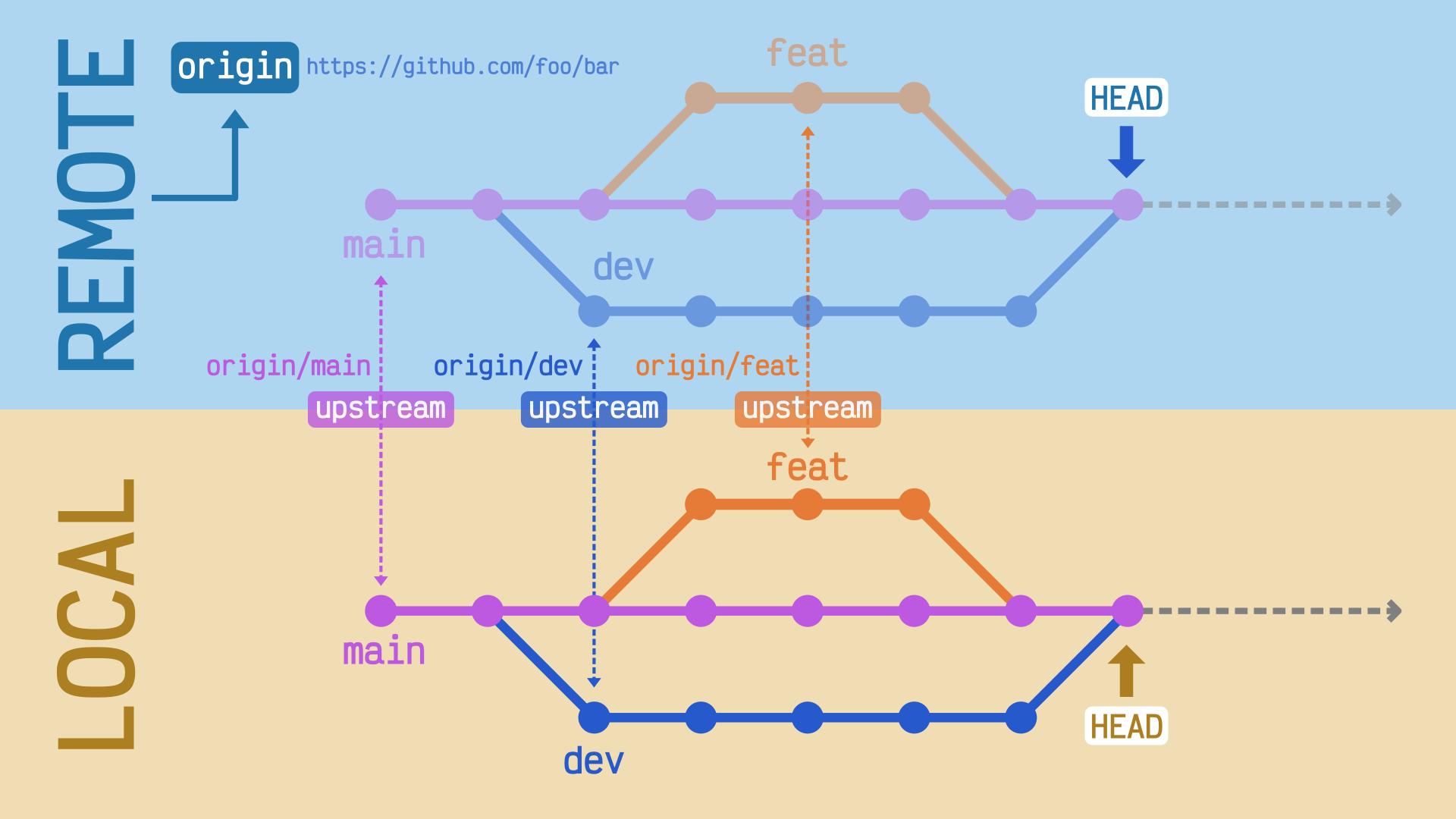
git branch
Gestionando las ramas
git branch 1️⃣
Ramas locales 🎋
                  $ git branch
                  * main
Ramas remotas ☁️
                  $ git branch -r
                  origin/HEAD -> origin/main
                  origin/main
Todas las ramas 🌴
                  $ git branch -a
                  * main
                  remotes/origin/HEAD -> origin/main
                  remotes/origin/main
Todos los detalles 🔍
                  $ git branch -avv
                  * main                788a2d7 [origin/main] Initial commit
                    remotes/origin/HEAD -> origin/main
                    remotes/origin/main 788a2d7 Initial commit
git branch 2️⃣
Crear ramas 🚀
                $ git branch dev
                $ git branch feat
                $ git branch
                  dev
                  feat
                * main
Borrar ramas 🗑️
                $ git branch -d dev
                Deleted branch dev (was ae0abb3).
                $ git branch -d feat
                Deleted branch feat (was ae0abb3).
                $ git branch
                * main
git remote
Gestionando las direcciones remotas
git remote
              $ git remote -v
              origin	git@github.com:sdelquin/work.git (fetch)
              origin	git@github.com:sdelquin/work.git (push)
git remote
Modificando remotos 👷🏻
Vía git
-
git remote add -
git remote remove
Vía .git/config 🥷🏻
                [core]
                  repositoryformatversion = 0
                  filemode = true
                  bare = false
                  logallrefupdates = true
                  ignorecase = true
                  precomposeunicode = true
                [remote "origin"]
                  url = git@github.com:sdelquin/work.git
                  fetch = +refs/heads/*:refs/remotes/origin/*
                [branch "main"]
                  remote = origin
                  merge = refs/heads/main
                [branch "dev"]
                  remote = origin
                  merge = refs/heads/dev
git switch
Cambiando* a otras ramas
git switch
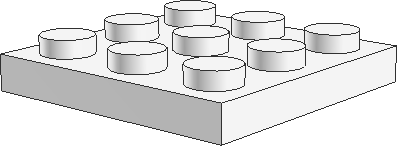
                    $ git branch
                    * main
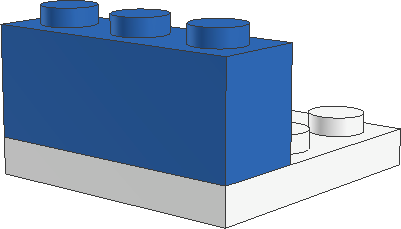
                    $ git switch -c blue
                    Switched to a new branch 'blue'
                    $ git branch
                    * blue
                      main
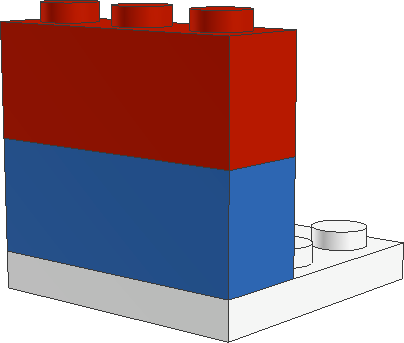
                    $ git switch -c red
                    Switched to a new branch 'red'
                    $ git branch
                      blue
                      main
                    * red
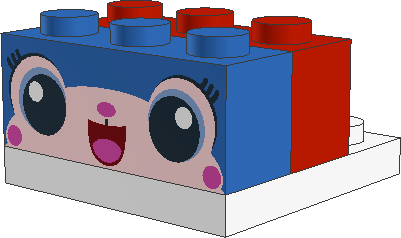
                    $ git switch main
                    Switched to a new branch 'main'
                    $ git branch -d red
                    Deleted branch red (was 6b70804).
                    $ git status
                      blue
                    * main
                    $ git switch -c red
                    Switched to a new branch 'red'
                    $ git status
                      blue
                      main
                    * red
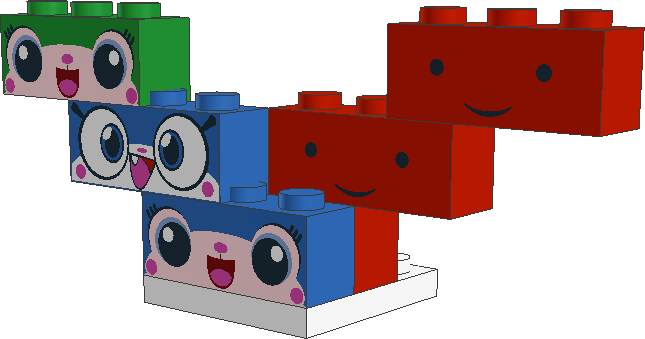
                    $ git switch blue
                    $ git commit
                    $ git commit
                    $ git switch -c green
                    $ git commit
                    $ git switch red
                    $ git commit
                    $ git commit
                    $ git commit
git push
Subiendo los cambios al "upstream"
git push 1️⃣
                $ git push
                Enumerating objects: 5, done.
                Counting objects: 100% (5/5), done.
                Delta compression using up to 8 threads
                Compressing objects: 100% (2/2), done.
                Writing objects: 100% (3/3), 340 bytes | 340.00 KiB/s, done.
                Total 3 (delta 0), reused 0 (delta 0), pack-reused 0
                To github.com:sdelquin/work.git
                  bdede5e..ae0abb3  main -> main
                $ git branch -vv
                * main ae0abb3 [origin/main] Add welcome message
git push 2️⃣
                  $ git switch -c dev
                  Switched to a new branch 'dev'

                  $ git push
                  fatal: The current branch dev has no upstream branch.
                  To push the current branch and set the remote as upstream, use

                      git push --set-upstream origin dev
😨
                $ git branch -vv
                * dev  ae0abb3 Add welcome message
                  main ae0abb3 [origin/main] Add welcome message
git push 2️⃣
                  $ git push -u origin dev
                  Total 0 (delta 0), reused 0 (delta 0), pack-reused 0
                  remote:
                  remote: Create a pull request for 'dev' on GitHub by visiting:
                  remote:      https://github.com/sdelquin/work/pull/new/dev
                  remote:
                  To github.com:sdelquin/work.git
                  * [new branch]      dev -> dev
                  Branch 'dev' set up to track remote branch 'dev' from 'origin'.
-u $\Leftrightarrow$
--set-upstream
                $ git branch -vv
                * dev  ae0abb3 [origin/dev] Add welcome message
                  main ae0abb3 [origin/main] Add welcome message
git merge
Mezclando cambios desde otra rama
git merge 1️⃣
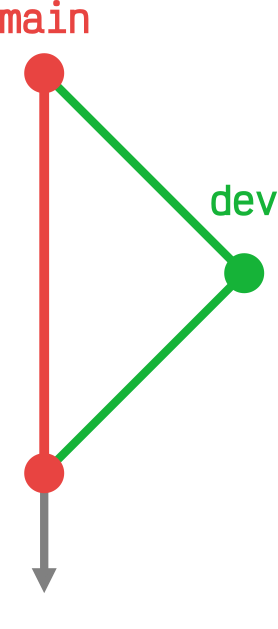
                $ git switch dev

                $ vi README.md  # modificación
                $ git add .
                $ git commit -m "New notes"

                $ git switch main

                $ git merge dev --no-edit
                Merge made by the 'recursive' strategy.
                 README.md | 1 +
                 1 file changed, 1 insertion(+)
git merge 2️⃣
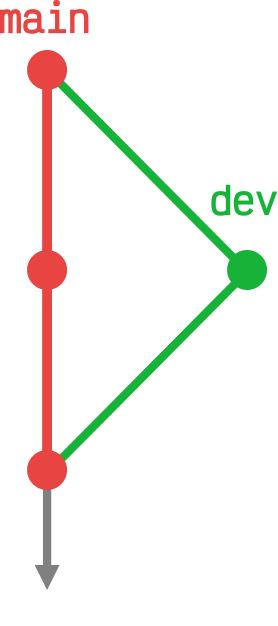
                $ git switch dev
                $ vi README.md  # modificación
                $ git add .
                $ git commit -m "Say hola"

                $ git switch main
                $ vi README.md  # modificación
                $ git add .
                $ git commit -m "Say hallo"

                $ git merge dev --no-edit
                Auto-merging README.md
                CONFLICT (content): Merge conflict in README.md
                Automatic merge failed; fix conflicts and then commit the result.
😱😱😱
git merge 2️⃣
Resolviendo el conflicto 🥊
README.md
                # work
                <<<<<<< HEAD
                Hallo
                ||||||| 8f1e81f
                =======
                Hola
                >>>>>>> dev
                Just for testing purposes
                Hello World!
                Changes from dev branch
                Keep on working
README.md
                # work
                Hola
                Just for testing purposes
                Hello World!
                Changes from dev branch
                Keep on working
git merge 2️⃣
Resolviendo el conflicto 🥊
                $ git status
                On branch main
                Your branch is ahead of 'origin/main' by 3 commits.
                  (use "git push" to publish your local commits)

                You have unmerged paths.
                  (fix conflicts and run "git commit")
                  (use "git merge --abort" to abort the merge)

                Unmerged paths:
                  (use "git add [file]..." to mark resolution)
                  both modified:   README.md

                no changes added to commit (use "git add" and/or "git commit -a")
                $ git add README.md

                $ git commit -m "Fix conflict"
                [main 101d7fb] Fix conflict
                 1 file changed, 1 insertion(+), 1 deletion(-)
git pull
Actualizando los cambios remotos
git pull
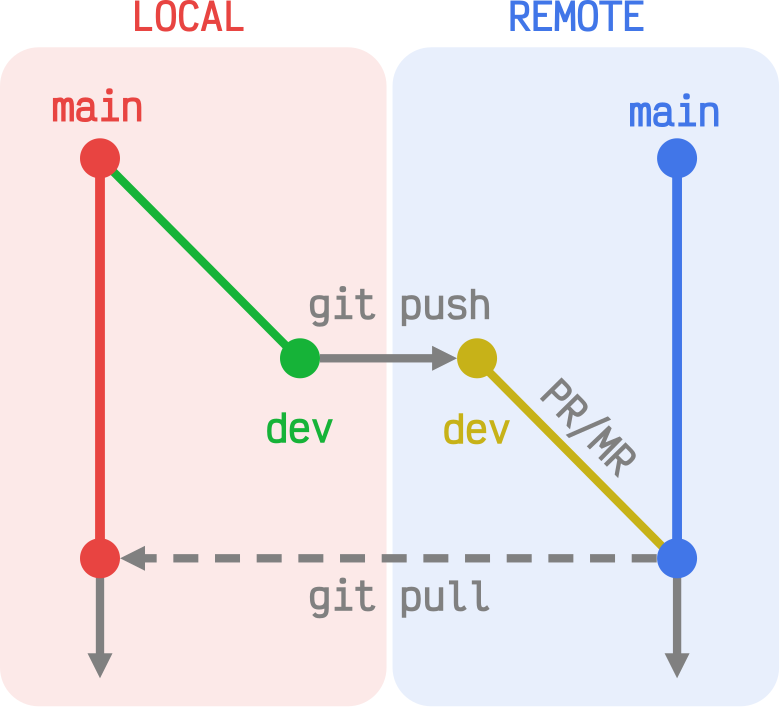
                $ git switch dev
                $ # edit README.md
                $ git add .
                $ git commit
                $ git push
                $ git switch main
                $ git pull
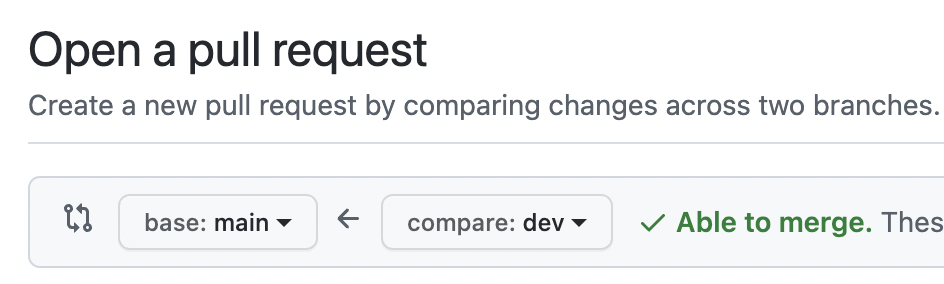
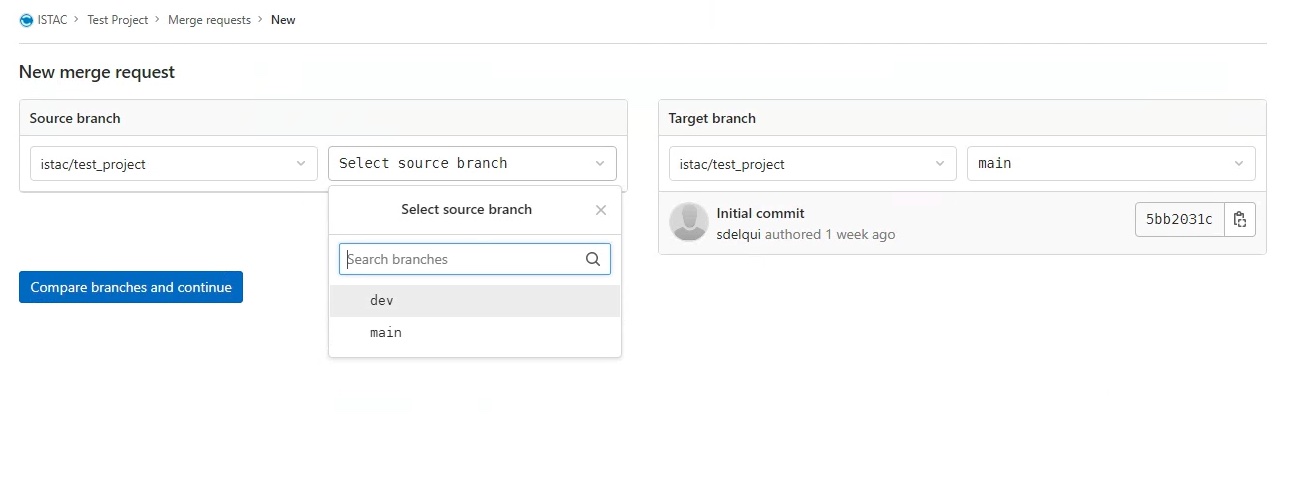
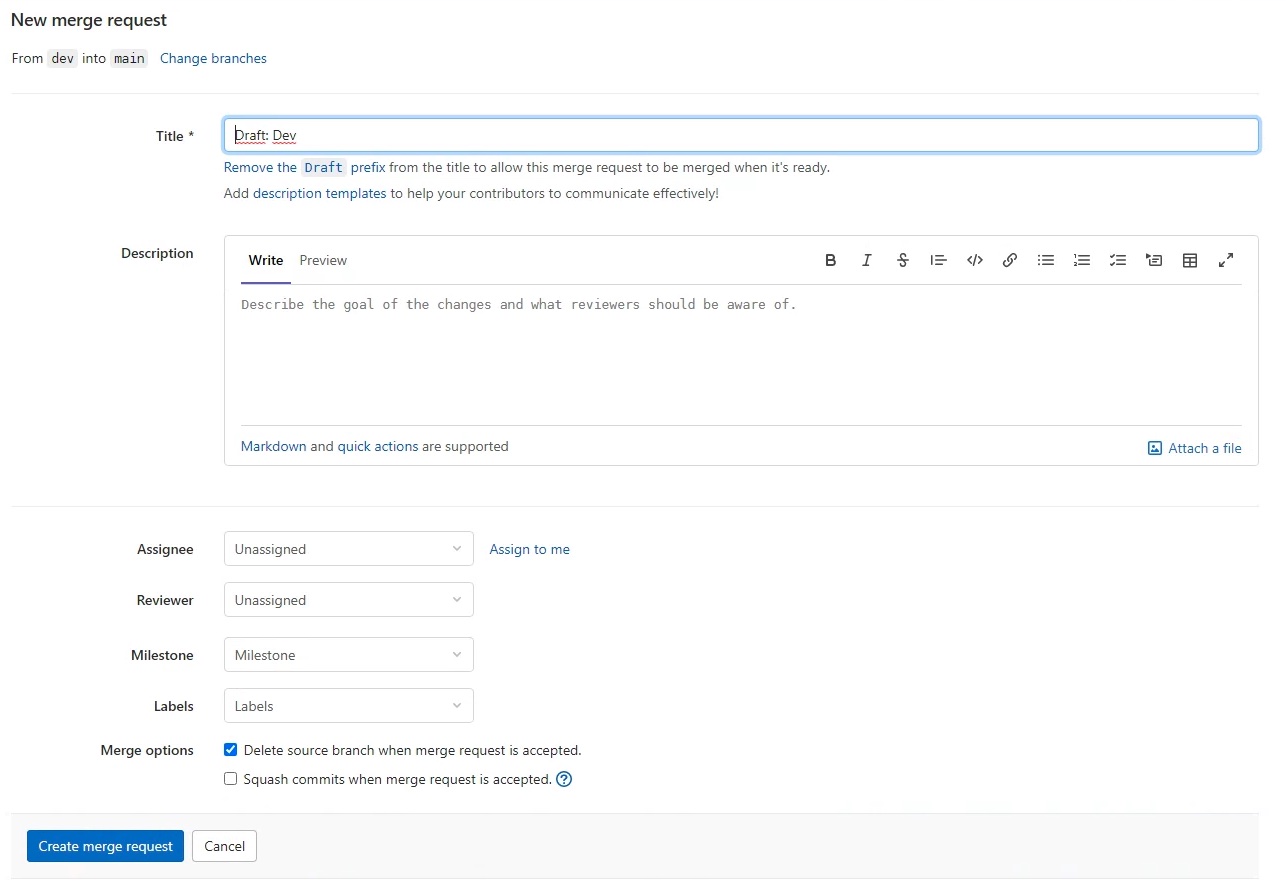
PR · Pull Request

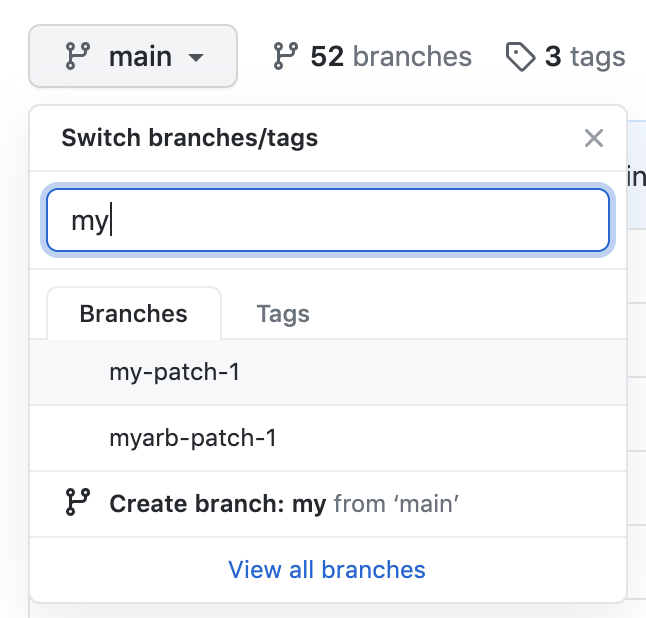
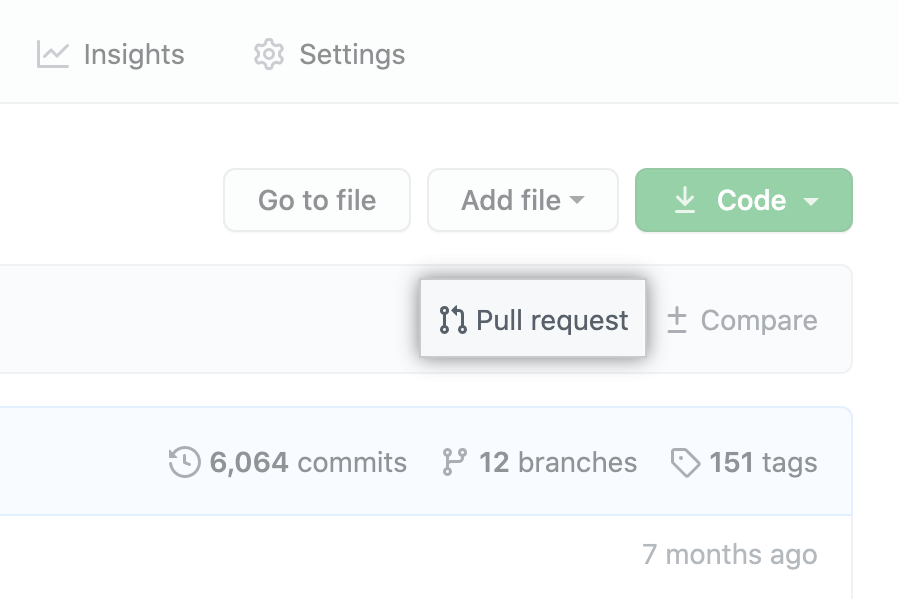

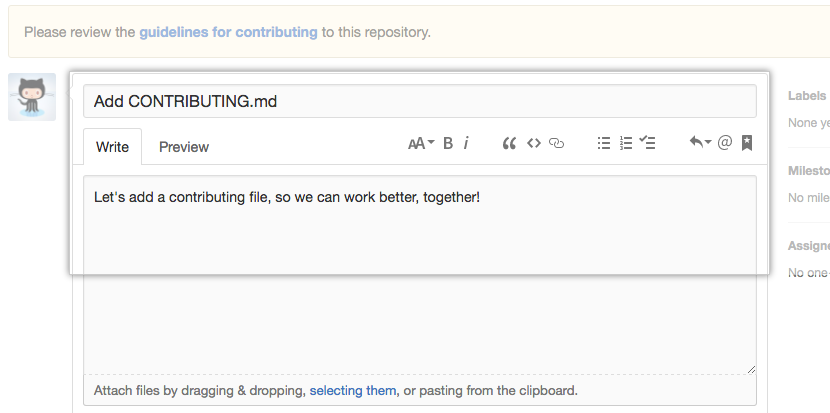
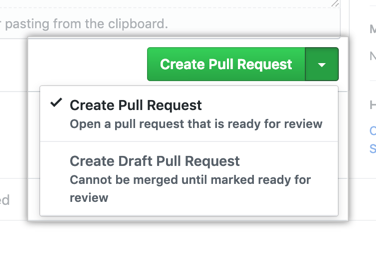
MR · Merge Request

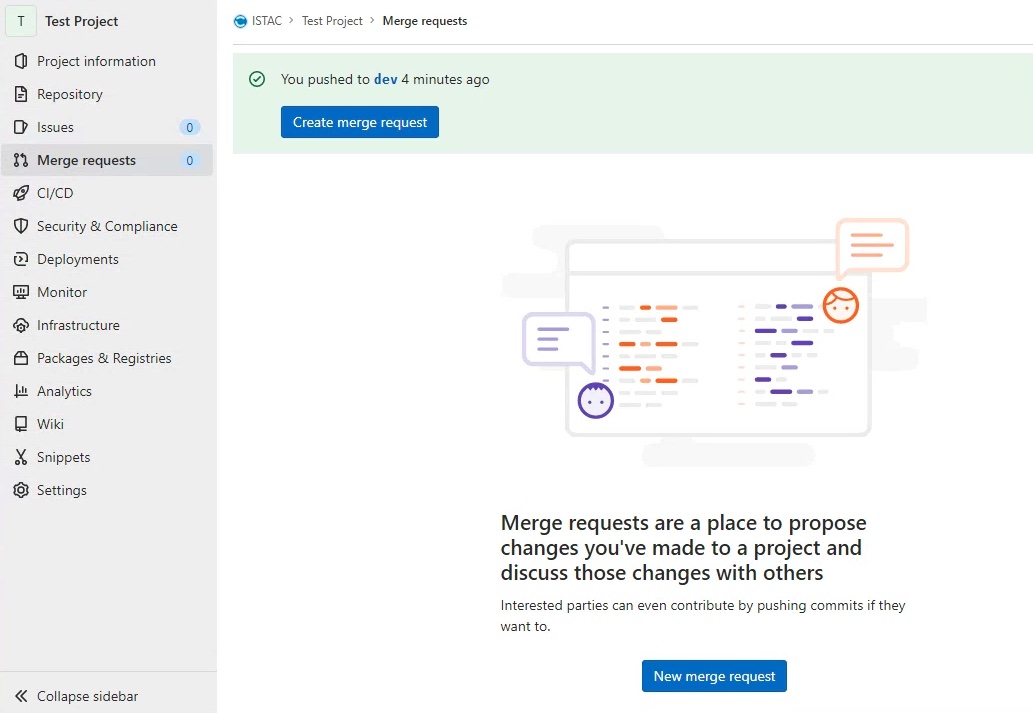
git pull
$\Leftrightarrow$
git fetch $+$
git merge

git fetch
Descargando todo lo nuevo
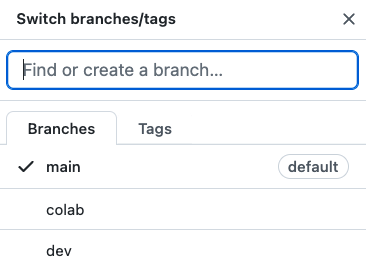
/Colaborando/ mediante ramas
                  $ # git clone ...
                  $ git switch -c colab
                  $ # edit README.md
                  $ git add .
                  $ git commit -m "Help from outside"
                  $ git push origin colab
/Colaborando/ mediante ramas
🙋🏻♀️
                $ git branch -avv
                  dev                 3149c76 [origin/dev] Work in progress
                * main                7c3682f [origin/main] Add sum
                  remotes/origin/dev  3149c76 Work in progress
                  remotes/origin/main 7c3682f Add sum
                $ git fetch
                remote: Enumerating objects: 5, done.
                remote: Counting objects: 100% (5/5), done.
                remote: Compressing objects: 100% (2/2), done.
                remote: Total 3 (delta 1), reused 3 (delta 1), pack-reused 0
                Unpacking objects: 100% (3/3), 353 bytes | 88.00 KiB/s, done.
                From github.com:sdelquin/work
                * [new branch]      colab      -> origin/colab
                $ git branch -avv
                  dev                   3149c76 [origin/dev] Work in progress
                * main                  7c3682f [origin/main] Add sum
                  remotes/origin/colab  46b7b56 Help from outside
                  remotes/origin/dev    3149c76 Work in progress
                  remotes/origin/main   7c3682f Add sum
                $ git switch colab
                Branch 'colab' set up to track remote branch 'colab' from 'origin'.
                Switched to a new branch 'colab'
                $ git branch -avv
                * colab                 46b7b56 [origin/colab] Help from outside
                  dev                   3149c76 [origin/dev] Work in progress
                  main                  7c3682f [origin/main] Add sum
                  remotes/origin/colab  46b7b56 Help from outside
                  remotes/origin/dev    3149c76 Work in progress
                  remotes/origin/main   7c3682f Add sum
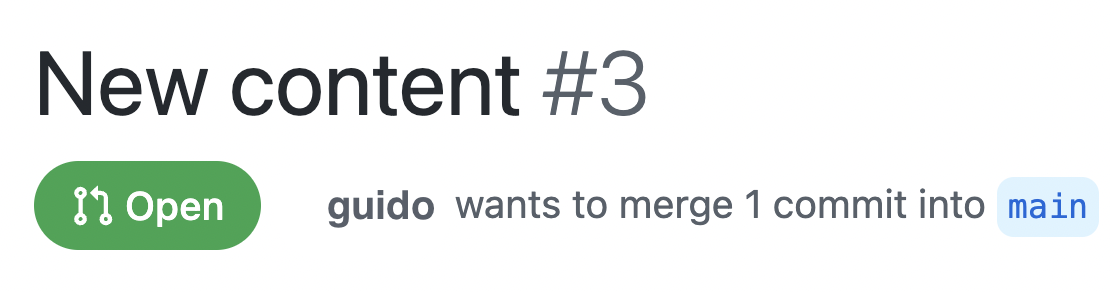
Revisando PRs/MRs
                    $ # git clone ...
                    $ git switch -c ext_help
                    $ # edit README.md
                    $ git add .
                    $ git commit -m "New content"
                    $ git push origin ext_help  # PR
Revisando PRs/MRs
🙋🏻♀️
              $ git fetch origin pull/3/head:check_help
              $ git branch -avv
              ...
              check_help  83282de  New content
              ...
              $ git switch check_help
              $ # edit README.md
              $ git add .
              $ git commit -m "Fix minor issues"
              $ git push origin check_help
              $ # create PR
git stash
Almacenando temporalmente los cambios
git stash
                $ git status
                On branch main
                Your branch is up to date with 'origin/main'.

                Changes not staged for commit:
                  (use "git add [file]..." to update what will be committed)
                  (use "git restore [file]..." to discard changes in working directory)
                  modified:   README.md

                Untracked files:
                  (use "git add [file]..." to include in what will be committed)
                  config.py

                no changes added to commit (use "git add" and/or "git commit -a")
                  $ git stash -u
                  Saved working directory and index state WIP on main:
                  c18e3f7 Merge branch 'main' of github.com:sdelquin/work
-u = --include-untracked
                $ git status
                On branch main
                Your branch is up to date with 'origin/main'.

                nothing to commit, working tree clean
                $ git stash pop
                On branch main
                Your branch is up to date with 'origin/main'.

                Changes not staged for commit:
                  (use "git add [file]..." to update what will be committed)
                  (use "git restore [file]..." to discard changes in working directory)
                  modified:   README.md

                Untracked files:
                  (use "git add [file]..." to include in what will be committed)
                  config.py

                no changes added to commit (use "git add" and/or "git commit -a")
                Dropped refs/stash@{0} (eb45cfdc63836cbc6417c358780ba55722c795b3)
git log
Mostrando el historial de cambios
git log
                $ git log --pretty=oneline --abbrev-commit
                c18e3f7 (HEAD -> main) Merge branch 'main' of github.com:sdelquin/work
                1705ee9 (origin/main) Merge pull request #2 from sdelquin/dev
                3149c76 (origin/dev, dev) Work in progress
                101d7fb Fix conflict
                24c1201 Say hallo
                66c4e10 Say hola
                aa94f74 Merge branch 'dev'
                8f1e81f New notes
                e44f857 Merge pull request #1 from sdelquin/dev
                e8983c7 More changes
                ae0abb3 Add welcome message
                bdede5e Initial commit
              $ git shortlog
              Sergio Delgado Quintero (13):
                    Initial commit
                    Add welcome message
                    More changes
                    Merge pull request #1 from sdelquin/dev
                    New notes
                    Merge branch 'dev'
                    Say hola
                    Say hallo
                    Fix conflict
                    Work in progress
                    Merge pull request #2 from sdelquin/dev
                    Merge branch 'main' of github.com:sdelquin/work
git diff
Encontrando diferencias
git diff
README.md
                  # work
                  Hola
                  Just for testing purposes
                  Hello World!
                  Changes from dev branch
                  Keep on working
                  Work in progress
README.md
                  # work
                  Hola
                  Just for testing purposes
                  Ciao Mondo!
                  Changes from dev branch
                  Keep on working
                  Work in progress
                $ git diff
                diff --git a/README.md b/README.md
                index 4ed5232..bb48069 100644
                --- a/README.md
                +++ b/README.md
                @@ -1,7 +1,7 @@
                # work
                Hola
                Just for testing purposes
                -Hello World!
                +Ciao Mondo!
                Changes from dev branch
                Keep on working
                Work in progress
git tag
Etiquetando versiones
git tag
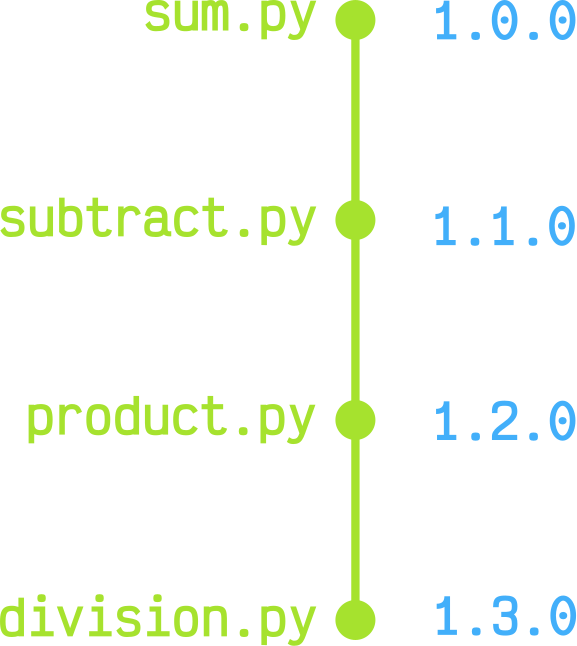
                $ vi sum.py  # nueva funcionalidad

                $ git add sum.py
                $ git commit -m "Add sum"
$ git tag -a 1.0.0 -m "Release version 1.0.0"
                $ git tag
                1.0.0
⚡ git push --follow-tags
git blame
Buscando culpables responsables
git blame
              $ git blame README.md
              ^bdede5e (Sergio Delgado Quintero 2022-05-05 09:58:55 +0100 1) # work
              66c4e102 (Sergio Delgado Quintero 2022-05-06 13:42:19 +0100 2) Hola
              ^bdede5e (Sergio Delgado Quintero 2022-05-05 09:58:55 +0100 3) Just for testing purposes
              ae0abb3a (Sergio Delgado Quintero 2022-05-05 12:51:16 +0100 4) Hello World!
              e8983c79 (Sergio Delgado Quintero 2022-05-06 13:12:55 +0100 5) Changes from dev branch
              8f1e81f6 (Sergio Delgado Quintero 2022-05-06 13:18:48 +0100 6) Keep on working
              3149c76f (Sergio Delgado Quintero 2022-05-06 18:59:57 +0100 7) Work in progress
Y una lista /enorme/ de comandos... 🤯
Índice
- Introducción al control de versiones
- Preparación del entorno de desarrollo
- Flujo de trabajo
- Comandos en detalle
- Convenciones y buenas prácticas
Estructura /mínima/ del repo
README.mdLICENSE$\Rightarrow$ AGPL3CHANGELOG.gitignore
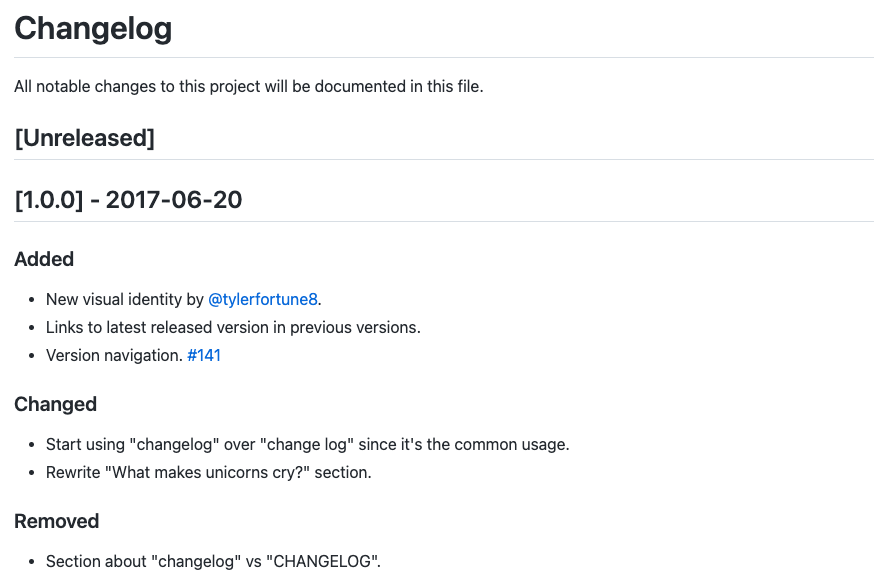
CHANGELOG
              # Changelog
              All notable changes to this project will be documented in this file.

              ## [Unreleased]

              ## [1.0.0] - 2017-06-20
              ### Added
              - New visual identity by [@tylerfortune8](https://github.com/tylerfortune8).
              - Links to latest released version in previous versions.
              - Version navigation. [#141](https://github.com/foo/bar/issues/141)

              ### Changed
              - Start using "changelog" over "change log" since it's the common usage.
              - Rewrite "What makes unicorns cry?" section.

              ### Removed
              - Section about "changelog" vs "CHANGELOG".
CHANGELOG
.gitignore
-
supersecret.dat -
*.log -
**/output/*.obj -
/env -
cache -
cache/ -
!cache/important.txt
☁️ https://www.atlassian.com/es/git/tutorials/saving-changes/gitignore
Lo que /no/ debería estar en el repo
-
Contraseñas o credenciales:
.env
-
Archivos generados:
/node_modules /packages*.pyc *.class/bin /out /target*.log *.lock *.tmp
-
Archivos multimedia:
.DS_Store Thumbs.db.artwork
-
Archivos configuración IDE:
.idea.vscode
Buenas prácticas en commits
- Commit $ \begin{cases} \text{Tarea general} \\ \text{Línea en blanco} \\ \text{Cambios aplicados} \end{cases} $
- No usar rutas absolutas
- Mantener estado funcional tras commit
- Commits atómicos
- Commits formato $\neq$ funcionalidad
- 🇺🇸 vs 🇪🇸
- Etiquetado de versiones
Indicaciones a nivel de código
- Escribir código en 🇺🇸
#TODO- No usar rutas absolutas
- Código transversal $\Rightarrow$ Paquete
- Hardcodear $\Rightarrow$ Configuraciones
GitLab corporativo
ETL
              📂 ETL Operacionales
                📂 080.010 Comercio (1)
                  📂 E30103A Indices de Comercio al por Menor (2)
                    ⭐ E30103A-MDS2MDS-PC0001-V0.1
              📂 ETL Transversales
                📂 PROCESA Procesamiento de datos y análisis de resultados (3)
                  📂 GSBPM6.1.2 Ejecutar ajustes estacionales-efecto calendario (4)
                    ⭐ GSBPM6.1.2-PC0001-V0.1
GitLab corporativo
Software
              📂 Sistema de gestión de ETL
                ⭐ coetl
                ⭐ ETL Launcher
GitLab corporativo
URL
              https://www.gobiernodecanarias.net
                └─ /aplicaciones/git/istac/
                  └─ /etl/operacionales/080.010-comercio/e30103a/
                    └─ e30103a-mds2mds-pc0001-v0.1
https://www.gobiernodecanarias.net/aplicaciones/git/istac/etl/operacionales/080.010-comercio/e30103a/e30103a-mds2mds-pc0001-v0.1
Referencias 🧐
¡Gracias! 🎉

Powered by